AudioConvert
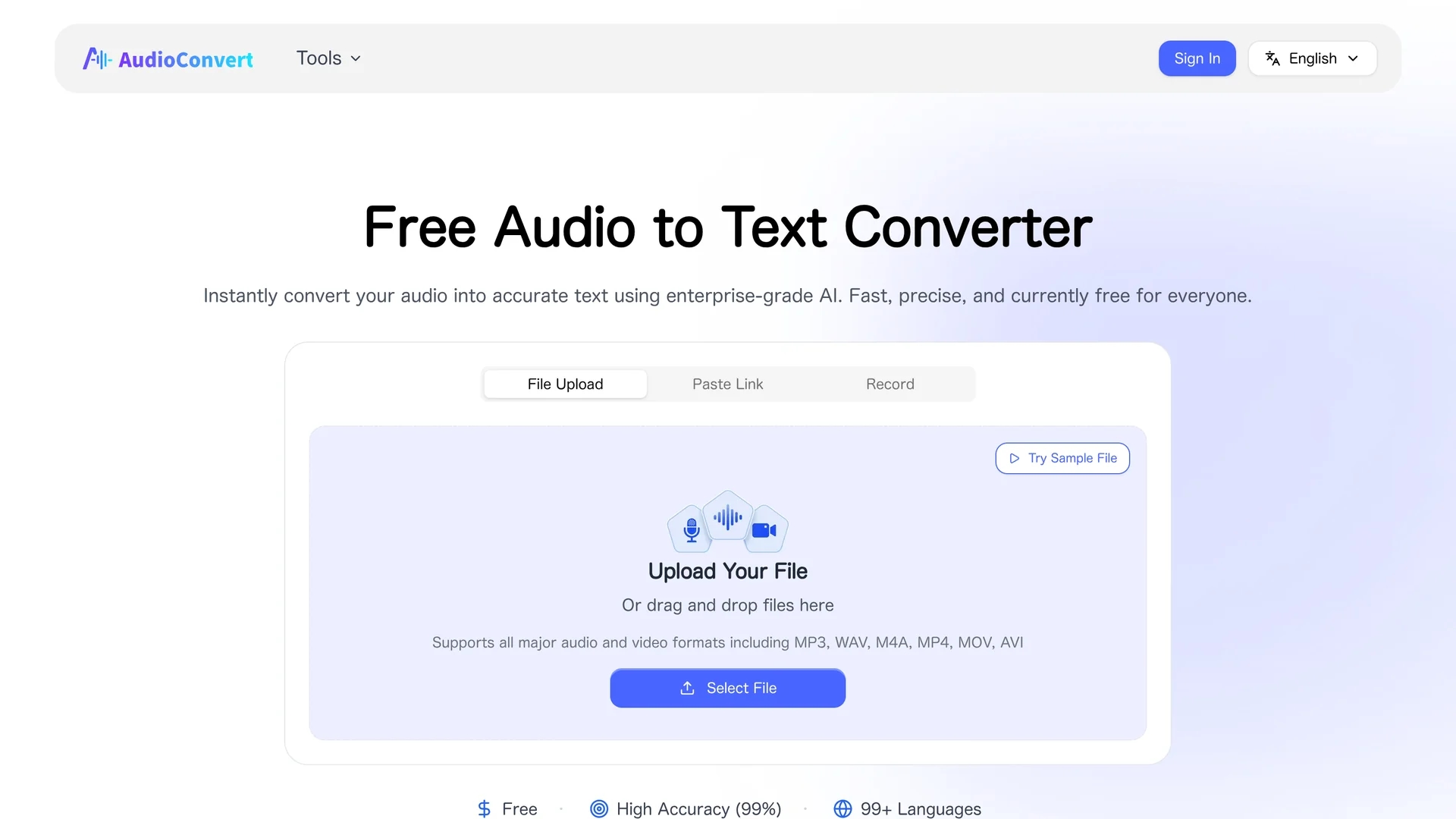
AudioConvert is a free AI tool that transcribes audio files like mp3 and wav into accurate, timestamped text with automatic speaker identification and multiple export formats.
Disclaimer: Visionary Hub is not affiliated with, endorsed by, or the operator of this tool. All trademarks, logos, and content are the property of their respective owners. Full disclaimer available here
Key Features
Multi-format Support
Accepts MP3, WAV, M4A, MP4, MOV, and AVI audio/video files.
Timestamped Transcripts
Provides millisecond-precise timestamps for easy navigation and subtitles.
Export Options
Exports transcripts as TXT, DOCX, PDF, SRT, or VTT files.
Fast Processing
Converts up to 1 hour of audio in under 30 seconds.
Get Started
Share & Save
Share on Social Media
Why Choose AudioConvert
High Accuracy:
Delivers up to 99% transcription accuracy with advanced AI speech recognition.Speaker Detection:
Automatically identifies and labels multiple speakers in conversations.Privacy Focused:
Encrypts files and deletes data after 24 hours to protect user privacy.
Pricing
AudioConvert is currently free for all users, supporting files up to 4 hours and 1GB in size without requiring a paid subscription or login.
About AudioConvert
AudioConvert is a free AI tool that transcribes audio files like mp3 and wav into accurate, timestamped text with automatic speaker identification and multiple export formats.
What AudioConvert Does
AudioConvert transcribes audio files into accurate, searchable text, enabling users to convert interviews, podcasts, meetings, and lectures into organized transcripts. It benefits users by saving time and improving documentation quality.
The tool supports multiple audio formats including MP3, WAV, and M4A, automatically detects and labels different speakers, and adds precise timestamps. It uses enterprise-grade AI models to deliver up to 99% accuracy, even with background noise and diverse accents.
Common use cases include creating meeting minutes, generating subtitles for videos, producing podcast show notes, and converting voice memos for writers. It serves professionals, students, and content creators across various industries.
Pros & Cons
No Login Required
Users can transcribe files without creating an account.
Wide Language Support
Supports over 99 languages and dialects for global use.
File Size Limit
Supports files only up to 4 hours and 1GB in size.
No Offline Mode
Requires internet connection as it is a browser-based tool.
Frequently Asked Questions
It uses advanced AI models to analyze speech, detect speakers, and generate editable transcripts automatically.
Yes, it offers a free tier supporting files up to 4 hours and 1GB without requiring payment.
Yes, exports are available in subtitle formats like SRT and VTT for video editing.
Files are encrypted and deleted after 24 hours; data is not used to train AI models.
Yes, the platform is fully browser-based and responsive for smartphones and tablets.
Similar Tools You Might Like
Discover more AI-powered tools that complement your workflow
List Your AI Tool & Reach Thousands of Users
Join 500+ AI innovators already thriving on our platform. Get visibility, feedback, and boost your conversions.
Expand Your Audience
Connect with over 50,000 AI enthusiasts actively looking for tools like yours.
Boost Your Authority
Get verified reviews and ratings to build credibility in the AI marketplace.
Drive Conversions
Our premium placements and targeted audience deliver quality leads and sign-ups.