
Aladdin lamp
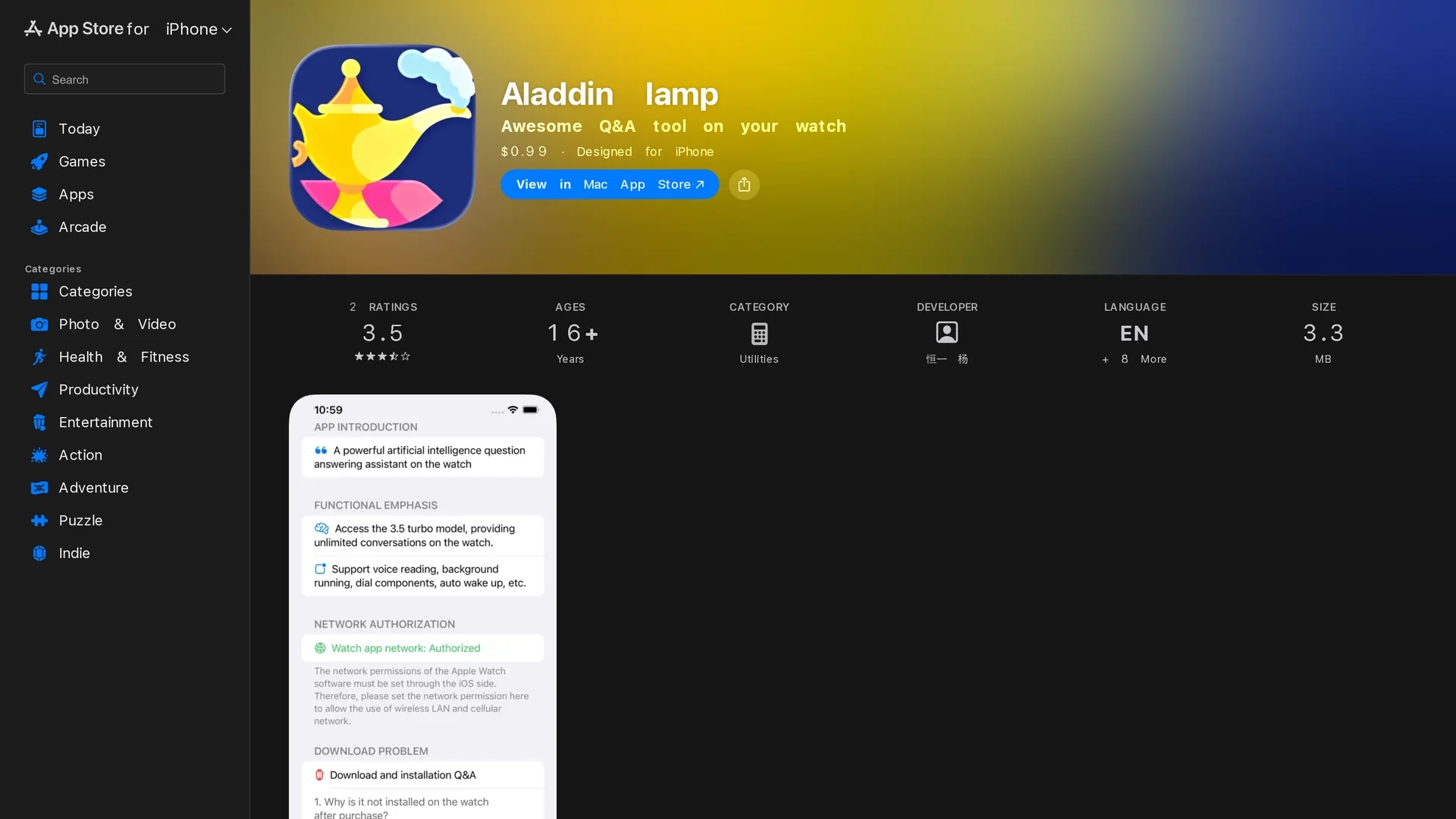
Aladdin lamp is an AI-powered wrist Q&A tool for Apple Watch, supporting continuous dialogue, voice conversion, multilingual queries, and conversation export.
Disclaimer: Visionary Hub is not affiliated with, endorsed by, or the operator of this tool. All trademarks, logos, and content are the property of their respective owners. Full disclaimer available here
Key Features
Conversation Export
Allows saving and sharing of chat history via email or messages.
WatchOS Integration
Designed specifically for Apple Watch with watchOS 9 compatibility.
Advanced AI Model
Powered by GPT-3.5 turbo for accurate and contextual answers.
Keyboard Synchronization
Syncs watch keyboard with iPhone for language switching.
Get Started
Share & Save
Share on Social Media
Why Choose Aladdin lamp
Continuous Dialogue:
Enables ongoing conversations without restarting the app.Voice Conversion:
Supports hands-free interaction via speech recognition.Multilingual Support:
Handles questions and answers in multiple languages.
Pricing
Aladdin lamp is available as a one-time purchase for $0.99 on the Apple App Store.
About Aladdin lamp
Aladdin lamp is an AI-powered wrist Q&A tool for Apple Watch, supporting continuous dialogue, voice conversion, multilingual queries, and conversation export.
What Aladdin lamp Does
Aladdin lamp allows users to ask questions and receive AI-generated answers directly on their Apple Watch using voice or text input. It facilitates continuous conversations, enhancing user interaction without needing a phone.
The app supports voice conversion, multilingual Q&A, and lets users save and export conversation records via email or iMessages. It leverages the GPT-3.5 turbo AI model for accurate and context-aware responses.
This tool is ideal for users needing quick information access while on the move, including multilingual users and those who want to keep records of their interactions.
Pros & Cons
Compact Design
Runs directly on Apple Watch for convenient access.
Affordable Pricing
Available for a low one-time purchase fee.
Network Dependency
Requires network permission and stable connection for responses.
Screen Timeout
Watch screen dimming may interrupt response generation.
Frequently Asked Questions
Swipe up on the watch keyboard’s triangle symbol; add keyboards on your phone to sync.
Search the watch App Store or download from "Purchased Items" in your profile.
Screen dimming causes app freeze; rotate the crown or extend Wake Screen duration.
Use the export icon in conversation history or answer page to share via email or iMessages.
Tap the volume icon on top right and rotate the watch crown to set volume.
Similar Tools You Might Like
Discover more AI-powered tools that complement your workflow
List Your AI Tool & Reach Thousands of Users
Join 500+ AI innovators already thriving on our platform. Get visibility, feedback, and boost your conversions.
Expand Your Audience
Connect with over 50,000 AI enthusiasts actively looking for tools like yours.
Boost Your Authority
Get verified reviews and ratings to build credibility in the AI marketplace.
Drive Conversions
Our premium placements and targeted audience deliver quality leads and sign-ups.