
aiimageedit.ai
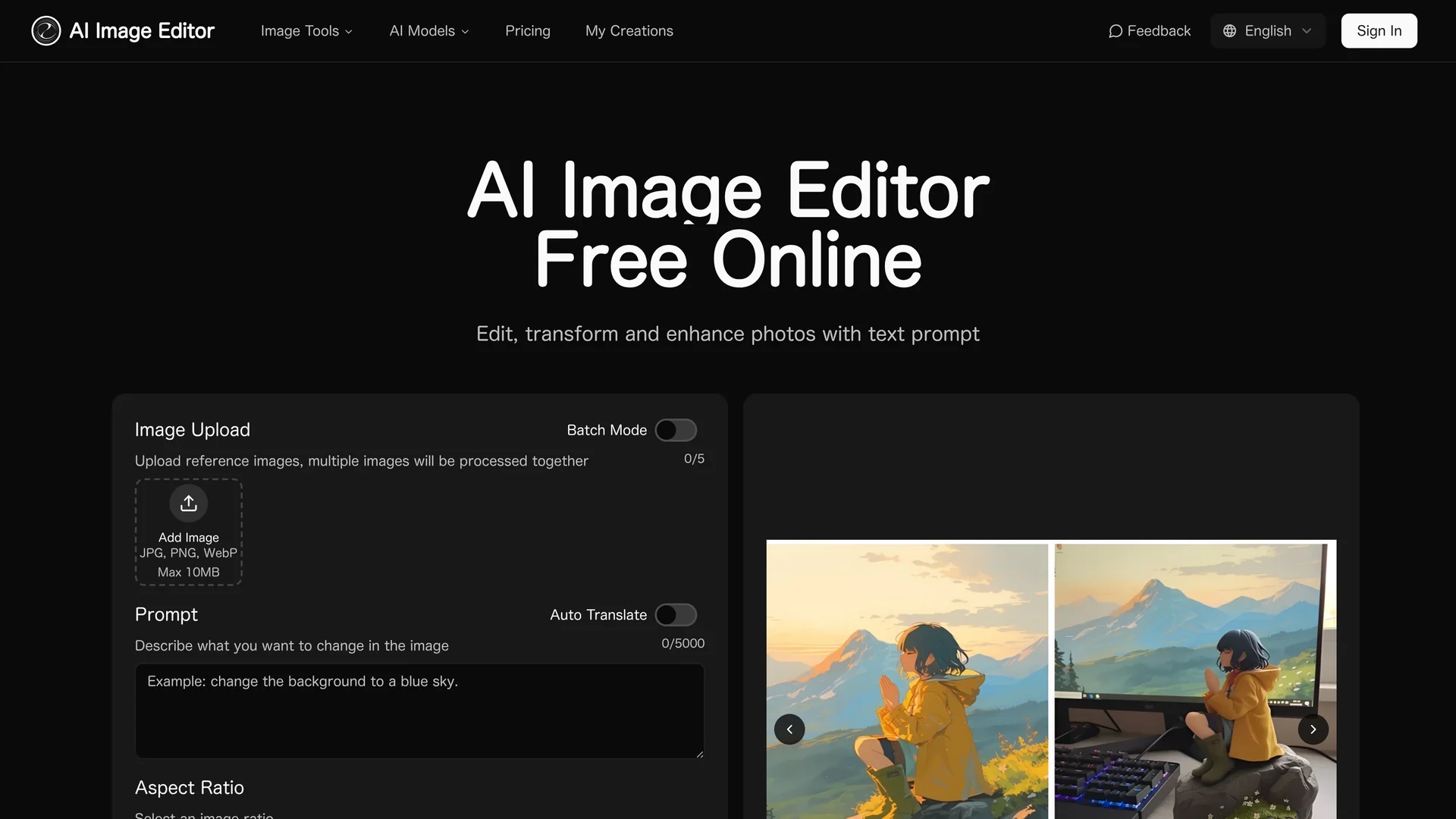
AI Image Editor is a free online AI-powered tool for editing, transforming, and enhancing photos with batch processing and precise, customizable adjustments.
Disclaimer: Visionary Hub is not affiliated with, endorsed by, or the operator of this tool. All trademarks, logos, and content are the property of their respective owners. Full disclaimer available here
Key Features
Multi-format Support
Uploads JPG, PNG, and WEBP images up to 10MB.
Prompt-Based Editing
AI interprets user prompts to apply desired changes.
Adjustable Strength
Users control transformation intensity for tailored results.
Aspect Ratio Options
Selects image ratios to fit various display needs.
Get Started
Share & Save
Share on Social Media
Why Choose aiimageedit.ai
Structure Preservation:
Maintains facial features and composition while applying edits.Batch Processing:
Processes up to 20 images simultaneously for efficient workflows.Pixel Precision:
Allows targeted edits with pixel-level accuracy.
Pricing
aiimageedit.ai offers a free trial. Paid plans include a Monthly Basic plan at $11.85, Standard plan at $23.85, and Premium plan at $47.85. Pricing is subject to change; visit the pricing page for current details.
About aiimageedit.ai
AI Image Editor is a free online AI-powered tool for editing, transforming, and enhancing photos with batch processing and precise, customizable adjustments.
What aiimageedit.ai Does
AI Image Editor allows users to upload images and apply AI-driven edits based on textual prompts, enhancing photos while maintaining their original composition. It benefits users by delivering quick, high-quality image transformations suitable for marketing, design, and content creation.
The tool features batch processing for up to 20 images, adjustable transformation strength, aspect ratio selection, and pixel-level precision for targeted edits. It uses advanced neural networks to understand both the source image and user instructions, ensuring accurate and consistent results.
Common use cases include enhancing product photos for e-commerce, creating cohesive social media visuals, and refining portraits for professional profiles or marketing materials.
Pros & Cons
Free Trial
Allows users to test features before purchasing.
Fast Processing
Generates high-quality images within seconds.
File Size Limit
Supports images only up to 10MB in size.
Paid Plans Required
Full commercial rights and higher limits require subscription.
Frequently Asked Questions
It supports JPG, PNG, WEBP, and GIF formats up to 20MB and 4096x4096 pixels.
Yes, batch mode allows processing up to 20 images simultaneously.
The AI interprets user prompts and preserves image structure while applying precise changes.
Free users have a monthly transformation allowance; paid plans offer higher limits.
Paid subscribers receive full commercial usage rights for transformed images.
Similar Tools You Might Like
Discover more AI-powered tools that complement your workflow
List Your AI Tool & Reach Thousands of Users
Join 500+ AI innovators already thriving on our platform. Get visibility, feedback, and boost your conversions.
Expand Your Audience
Connect with over 50,000 AI enthusiasts actively looking for tools like yours.
Boost Your Authority
Get verified reviews and ratings to build credibility in the AI marketplace.
Drive Conversions
Our premium placements and targeted audience deliver quality leads and sign-ups.