AI Transcribe: Speech to Text
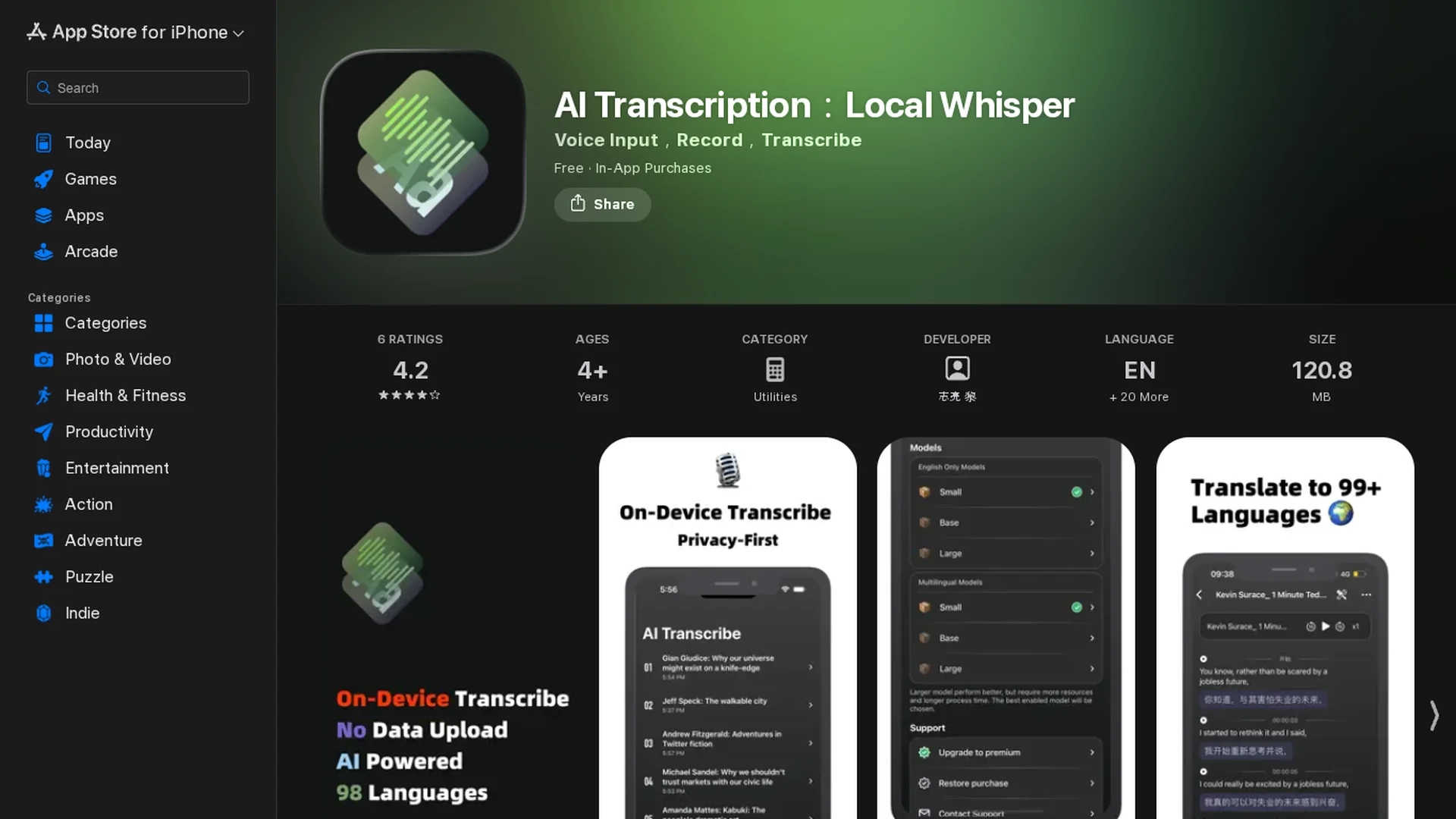
AI Transcribe is an offline AI-powered app that securely transcribes audio, video, and podcasts directly on your device without internet connection.
Disclaimer: Visionary Hub is not affiliated with, endorsed by, or the operator of this tool. All trademarks, logos, and content are the property of their respective owners. Full disclaimer available here
Key Features
Offline Transcription
Transcribes audio and video files entirely without internet connection.
Subtitle Generation
Creates and edits subtitles with support for SRT, LRC, and WebVTT formats.
Multi-Device Support
Available for iPhone, iPad, and Mac with consistent functionality.
Privacy Focus
No data collection or upload, maintaining strict user data security.
Get Started
Share & Save
Share on Social Media
Why Choose AI Transcribe: Speech to Text
Offline Privacy:
Processes all transcriptions locally without uploading data, ensuring user privacy.Multi-format Support:
Supports audio, video, and podcast files with subtitle generation and editing.Wide Language Range:
Offers transcription and translation in over 90 languages for diverse users.
Pricing
AI Transcribe offers a freemium model with in-app purchases including Monthly Premium at $6.99, Yearly Premium at $19.99, and a One Time Purchase option at $41.99. No trial or money-back guarantee is specified.
About AI Transcribe: Speech to Text
AI Transcribe is an offline AI-powered app that securely transcribes audio, video, and podcasts directly on your device without internet connection.
What AI Transcribe: Speech to Text Does
AI Transcribe converts audio, video, and podcast files into accurate text transcriptions directly on your device without requiring an internet connection, protecting user data privacy.
It features offline transcription, subtitle generation and editing, support for multiple file formats, and translation capabilities in over 90 languages. The app uses on-device AI models to process recordings, generate transcripts, and create subtitle files like SRT and WebVTT.
This tool is useful for transcribing meeting recordings, classroom lectures, podcasts, and videos, serving professionals, students, content creators, and researchers across various industries.
Pros & Cons
Data Security
No data leaves the device, protecting sensitive information.
Ease of Use
Intuitive interface for quick transcription and subtitle editing.
No Speaker Diarization
Lacks automatic speaker labeling for multi-person recordings.
Platform Limited
Available only on Apple devices requiring iOS 16 or later.
Frequently Asked Questions
No, AI Transcribe functions fully offline without needing internet access.
Yes, all transcription is processed locally with no data uploaded or collected.
It supports various common audio and video formats for transcription and subtitling.
The app runs on iPhone, iPad, and Mac with iOS 16, iPadOS 16, or macOS 13.3 and later.
It offers freemium access with monthly, yearly, and one-time purchase premium options.
Similar Tools You Might Like
Discover more AI-powered tools that complement your workflow
List Your AI Tool & Reach Thousands of Users
Join 500+ AI innovators already thriving on our platform. Get visibility, feedback, and boost your conversions.
Expand Your Audience
Connect with over 50,000 AI enthusiasts actively looking for tools like yours.
Boost Your Authority
Get verified reviews and ratings to build credibility in the AI marketplace.
Drive Conversions
Our premium placements and targeted audience deliver quality leads and sign-ups.