
AI Describe Picture
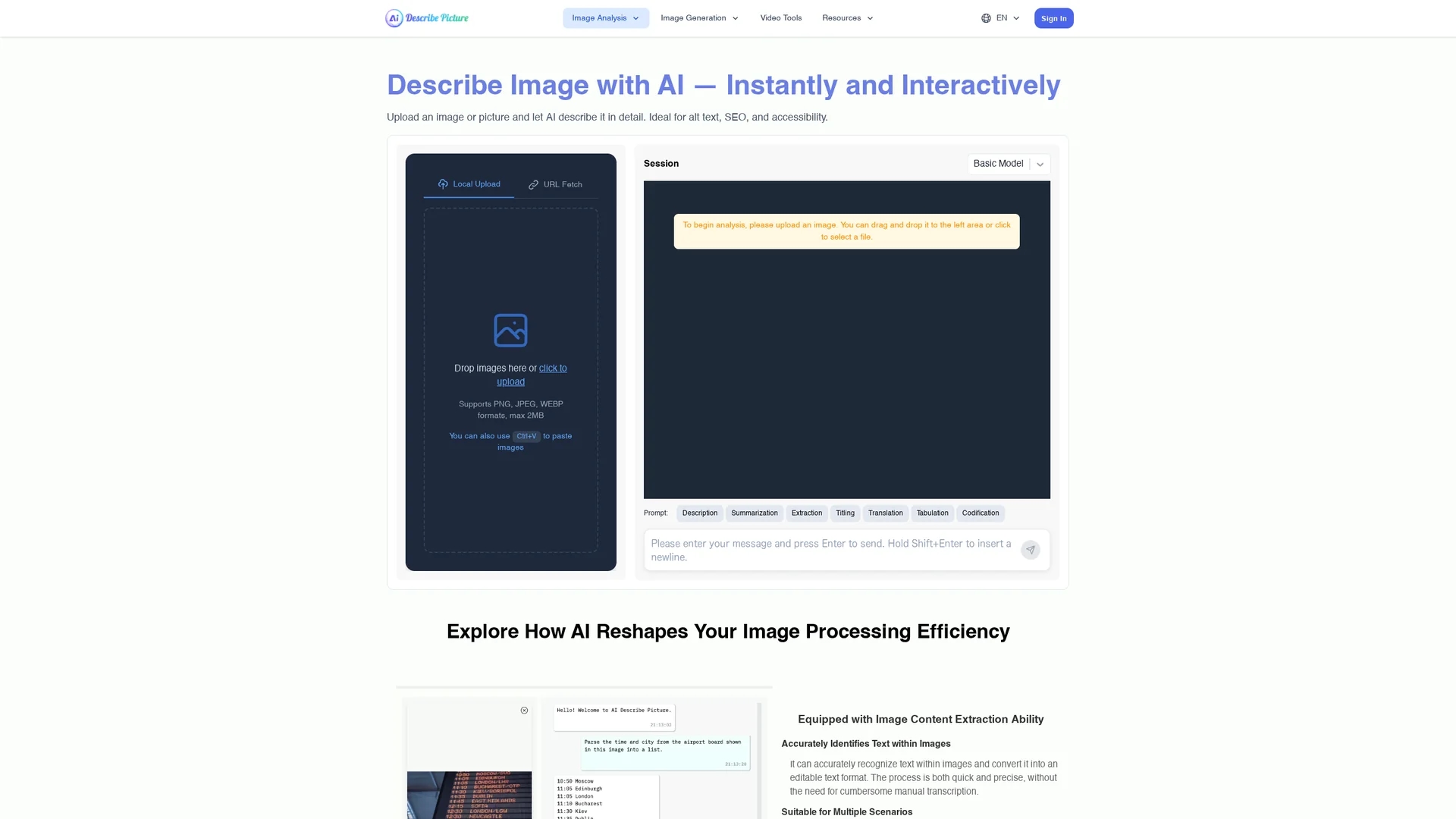
AI Describe Picture accelerates image processing by extracting text, converting screenshots to code, and transforming images into markdown and detailed descriptions.
Disclaimer: Visionary Hub is not affiliated with, endorsed by, or the operator of this tool. All trademarks, logos, and content are the property of their respective owners. Full disclaimer available here
Key Features
Text Extraction
Extracts editable text accurately from scanned documents and images.
Code Conversion
Transforms web screenshots into HTML, CSS, and JavaScript code.
Markdown Conversion
Converts content from images into markdown format efficiently.
Image Recognition
Provides detailed descriptions of complex scenes and compositions.
Get Started
Share & Save
Share on Social Media
Why Choose AI Describe Picture
Accurate Extraction:
Precisely identifies text and web elements from images and screenshots.Multi-format Support:
Converts images to editable text, code, and markdown formats.User-Friendly:
Simple interface enables quick and easy content conversion.
Pricing
For current prices, visit the official page at https://describepicture.org/price/ for detailed pricing plans and packages.
About AI Describe Picture
AI Describe Picture accelerates image processing by extracting text, converting screenshots to code, and transforming images into markdown and detailed descriptions.
What AI Describe Picture Does
AI Describe Picture extracts text from images and scanned documents, converting it into editable formats to save time on manual transcription. It also converts web page elements from screenshots into accurate HTML, CSS, and JavaScript code, streamlining web development workflows.
The tool features precise content transcription into markdown format from graphs, slides, and handwritten notes through a simple interface. It uses advanced AI image recognition to provide detailed descriptions of complex scenes and compositions, supporting creative content creation.
Industries such as software development, data analysis, content creation, and product design benefit from its capabilities to automate image content extraction and coding tasks efficiently.
Pros & Cons
Efficiency
Reduces manual transcription and coding time significantly.
Versatility
Supports multiple content extraction and conversion formats.
No Signup
No direct user registration or signup option available on the homepage.
Pricing Details
Pricing information is not directly provided on the homepage.
Frequently Asked Questions
It processes scanned documents, infographics, screenshots, graphs, slides, and handwritten notes.
Yes, it converts web page screenshots into HTML, CSS, and JavaScript code automatically.
Pricing details are available on the official pricing page; no free trial information is provided.
Supports PNG, JPEG, and WEBP image formats up to 2MB in size.
You can contact support via email at [email protected].
Similar Tools You Might Like
Discover more AI-powered tools that complement your workflow
List Your AI Tool & Reach Thousands of Users
Join 500+ AI innovators already thriving on our platform. Get visibility, feedback, and boost your conversions.
Expand Your Audience
Connect with over 50,000 AI enthusiasts actively looking for tools like yours.
Boost Your Authority
Get verified reviews and ratings to build credibility in the AI marketplace.
Drive Conversions
Our premium placements and targeted audience deliver quality leads and sign-ups.