
Addsubtitle
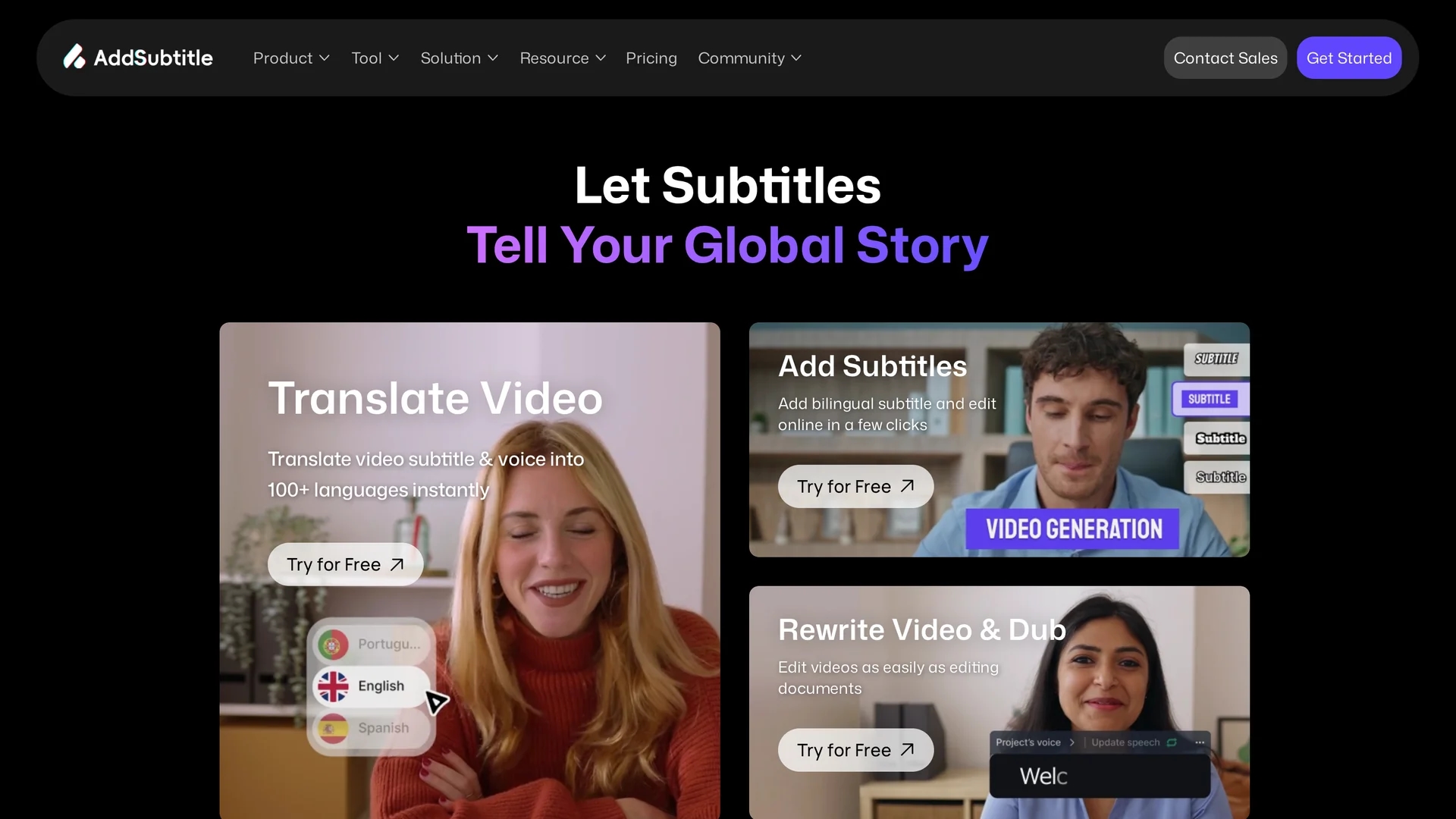
AddSubtitle is an AI-powered video editing tool that creates multilingual subtitles and dubs videos in 100+ languages, offering precise text-audio synchronization and customizable subtitle styles.
Disclaimer: Visionary Hub is not affiliated with, endorsed by, or the operator of this tool. All trademarks, logos, and content are the property of their respective owners. Full disclaimer available here
Key Features
Auto Subtitle Generator
Automatically creates accurate subtitles in multiple languages.
Subtitle & Voice Translation
Translates subtitles and voiceovers professionally across languages.
Text-Based Video Editing
Edit spoken content directly from transcripts with voice consistency.
Video Optimization Tools
Includes vocal removal and aspect ratio adjustments for videos.
Get Started
Share & Save
Share on Social Media
Why Choose Addsubtitle
Multilingual Support:
Translate and dub videos in over 100 languages for global reach.AI Voice Cloning:
Preserves original voice tone for natural dubbing and rewriting.Customizable Subtitles:
Adjust subtitle styles and sync text precisely with audio.
Pricing
AddSubtitle offers a freemium pricing model with a free plan featuring some limitations. Paid plans include Starter at $18/month, Creator at $32/month, and a custom Enterprise plan. Pricing details are subject to change; visit the official pricing page for updates.
About Addsubtitle
AddSubtitle is an AI-powered video editing tool that creates multilingual subtitles and dubs videos in 100+ languages, offering precise text-audio synchronization and customizable subtitle styles.
What Addsubtitle Does
AddSubtitle automates the generation of subtitles and dubbing for videos in over 100 languages, enhancing accessibility and expanding audience reach. It benefits users by simplifying multilingual video content creation without requiring advanced editing skills.
The tool features AI-powered subtitle generation with customizable styles, precise synchronization of text and audio, and professional translation services. It also enables video rewriting with voice consistency through AI voice cloning, allowing users to edit spoken content directly from transcripts.
Ideal for industries like social media, e-commerce, education, and entertainment, AddSubtitle supports content creators, marketers, and multilingual producers in delivering engaging, localized video content efficiently.
Pros & Cons
Wide Language Coverage
Supports subtitles and dubbing in 100+ languages.
User-Friendly Interface
Simplifies video editing with intuitive AI-powered tools.
Limited Free Plan
Free version has restrictions and limited features.
Pricing Transparency
Detailed pricing may require visiting the official page.
Frequently Asked Questions
AddSubtitle supports subtitle and voice translation in over 100 languages.
Yes, AddSubtitle offers a freemium plan with some feature limitations.
Yes, you can edit spoken content using a text-based editor with voice cloning.
Yes, users can access support and community via Discord and contact sales online.
AddSubtitle offers a custom Enterprise plan tailored to business needs.
Similar Tools You Might Like
Discover more AI-powered tools that complement your workflow

List Your AI Tool & Reach Thousands of Users
Join 500+ AI innovators already thriving on our platform. Get visibility, feedback, and boost your conversions.
Expand Your Audience
Connect with over 50,000 AI enthusiasts actively looking for tools like yours.
Boost Your Authority
Get verified reviews and ratings to build credibility in the AI marketplace.
Drive Conversions
Our premium placements and targeted audience deliver quality leads and sign-ups.